How to Change the Price on a Snack Vending Machine (New and Old Models)
Changing the price on a snack vending machine means entering the unit’s service or management mode, either through a touchscreen menu on modern machines or a physical key switch and coin mechanism setting on older units, then adjusting the price assigned to each selection individually. The exact method depends heavily on whether the machine runs modern control board software or an older mechanical pricing system, which is why this guide covers both approaches separately rather than assuming one universal process. This guide walks through the steps for current machines, legacy models, and remote pricing options where available.
Before You Start: What You’ll Need
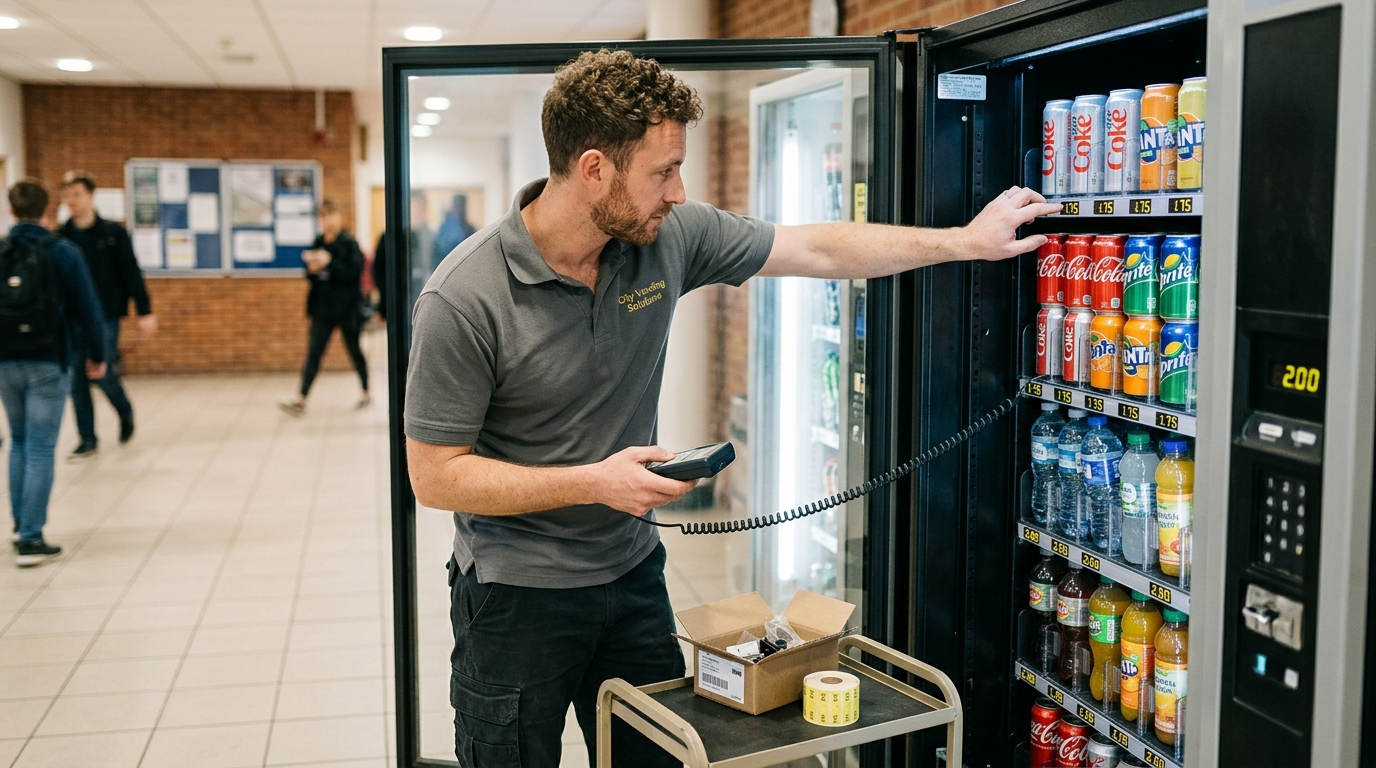
Most price changes require the machine’s service key or access code, which opens the main cabinet or a dedicated service panel, and knowing exactly which selections need updated pricing before you start prevents having to reopen the machine repeatedly. Older machines sometimes need a small screwdriver to access a coin mechanism faceplate, so confirming what tools a specific model requires beforehand saves an unnecessary return trip.
How to Change Price on a Modern Snack Vending Machine
Machines built on current control board technology handle pricing through a software menu rather than physical hardware adjustment, making the process faster and less error-prone than older mechanical methods.
- Access Service/Management ModeUse the service key or enter the management access code, typically through a hidden button or switch inside the main cabinet, to enter the machine’s administrative menu separate from the customer-facing interface.
- Navigate to Pricing SettingsLocate the pricing or product configuration section of the menu, which usually displays each selection slot alongside its current assigned price.
- Set the New Price Per SelectionSelect the specific slot or row you want to update and enter the new price using the keypad or touchscreen interface, repeating for each selection that needs a change.
- Save and ExitConfirm the changes are saved before exiting service mode, then run a test selection to verify the new price displays correctly on the customer-facing screen.
How to Change Price on an Old Snack Vending Machine
Older machines predate touchscreen management menus and instead rely on physical hardware settings, which means the process looks meaningfully different depending on the specific mechanism installed.
Mechanical/Coin Mechanism Machines
On older machines, price is often set directly on the coin mechanism itself through a small dial, lever, or price-setting wheel accessible after removing a faceplate cover, rather than through any digital interface. Adjusting this setting changes how many coins or how much inserted value the mechanism requires before releasing the vend signal to the dispensing motor.
DIP Switch and Rotary Dial Machines
Some legacy control boards use a bank of small DIP switches or a rotary dial to set pricing in fixed increments, requiring a reference chart, often printed inside the cabinet door or in the original manual, to translate switch positions into actual price values. This method is less intuitive than modern menus but remains functional and doesn’t require any software knowledge to operate correctly once the reference chart is available.
Changing Prices Remotely via Telemetry
Machines equipped with telemetry and cloud connectivity sometimes support remote price changes through an operator’s online dashboard, eliminating the need for an in-person visit entirely for this specific task. This capability depends entirely on whether the specific machine’s control board and software package include remote configuration support, which varies by manufacturer and model generation rather than being a universal feature across all connected machines.
Machine Type Comparison for Price-Setting Method
| Machine Type | Price-Setting Method | Tools Needed |
|---|---|---|
| Modern touchscreen machine | Software menu in service mode | Service key or access code |
| Older keypad machine | Menu accessed via key switch | Service key |
| Mechanical coin mechanism | Physical dial or lever on the mechanism | Screwdriver, faceplate access |
| DIP switch/rotary dial | Physical switch bank with reference chart | Reference chart, small tool for switches |
| Telemetry-connected machine | Remote dashboard, no physical visit needed | Operator login credentials |
Common Mistakes When Changing Prices
Forgetting to test a selection after changing its price is one of the most common mistakes, since a price that looks correct in the service menu can still display incorrectly on the customer-facing screen due to a sync error. Changing prices without a reference chart on DIP switch machines is a second frequent issue, leading to incorrect pricing that’s hard to diagnose without the original documentation. Updating price on the wrong slot, particularly on machines with a dense grid of selections, rounds out the most common errors, which is why confirming slot numbers against your actual product layout before making changes matters more than it might seem.
- Test After Changing
- Keep Reference Charts
- Double-Check Slot Numbers
When to Call a Technician Instead
Safe for Operator-Level Changes
Standard menu-based price updates on modern machines. Coin mechanism dial adjustments with the correct tool. DIP switch changes when a reference chart is available.
Needs a Technician
Missing or unclear reference documentation for an unfamiliar older machine. Price changes that don’t save or display correctly after multiple attempts. Any issue requiring control board-level troubleshooting beyond standard menu access.
How Pricing Strategy Ties Into Overall Revenue
Price changes should reflect more than just cost adjustments; location-specific demand patterns, covered in more depth in how location affects vending machine revenue, often justify different pricing at different sites even for identical products. Operators building out a broader product strategy should also review healthy food options for vending machines, since premium or healthier items frequently support a different price point than standard snacks within the same machine.
Where to Learn More
Pricing is one operational detail within a much larger business picture that includes equipment selection and launch planning. Operators evaluating whether an aging machine’s outdated pricing mechanism justifies a full upgrade should review a snack vending machine cost guide alongside the repair effort involved, while those just getting started can review how to start a snack vending machine business for the complete launch process.
Snack Vending Machines
Tired of fighting an old pricing mechanism? Compare modern, easy-to-manage machines.
Snack Vending MachinesExplore Machines by Type
From compact countertop units to high-capacity elevator configurations.
How do I change the price on a snack vending machine?
Enter the machine’s service or management mode using a key or access code, navigate to the pricing section, select the specific slot, enter the new price, and save before testing a selection.
How do I change prices on a snack vending machine with a touchscreen?
Access the service menu, go to pricing or product configuration, select the row you want to update, enter the new price on the touchscreen, and confirm the save before exiting.
How do I change the price on an old snack vending machine?
Older machines typically set price through a physical dial or lever on the coin mechanism, or through a bank of DIP switches paired with a reference chart, rather than a digital menu.
What tools do I need to change the price on a vending machine?
Modern machines need only the service key or access code, while older mechanical machines sometimes require a small screwdriver to access a coin mechanism faceplate.
Can I change vending machine prices remotely?
Yes, machines with telemetry and cloud connectivity sometimes support remote price changes through an operator’s online dashboard, though this depends on the specific model’s software capabilities.
What is a DIP switch on a vending machine used for?
DIP switches on older control boards set pricing in fixed increments based on switch position, requiring a reference chart to translate switch settings into actual price values.
Should I test the machine after changing a price?
Yes, always run a test selection after any price change, since a price that looks correct in the service menu can still display incorrectly on the customer-facing screen.
When should I call a technician instead of changing the price myself?
Call a technician if reference documentation is missing for an unfamiliar older machine, or if price changes don’t save or display correctly after multiple attempts.
Should prices be different at different vending machine locations?
Often yes, since location-specific demand patterns can justify different pricing for identical products depending on the site’s traffic and audience.
Is it worth repairing an old machine’s pricing mechanism or upgrading?
This depends on repair cost versus the cost of a new machine with modern, easier-to-manage pricing software, which is worth comparing directly before committing to either path.